Kamis, 31 Oktober 2013

27 alasan menggunakan sistem operasi Linux

Pernahkah anda mendapatkan pertanyaan "Mengapa anda menggunakan Linux..??". Sebenarnya terdapat berbagai macam alasan mengapa harus menggunakan Linux. Berikut merupakan 27 alasan menggunakan sistem operasi Linux yang saya himpun dari hasil googling.

1. Linux merupakan sistem operasi FULL 32-bit. Tak ada kode 16-bit atau campuran keduanya dalam setiap aplikasinya, sehingga kemungkinan adanya crash antar aplikasi kecil sekali.

2. Kebanyakan, mesin-mesin UNIX(TM) dan varian-variannya mempunyai sifat preemptive multitasking. Multitasking : menangani banyak proses secara bersamaan, dimana kesemua proses tersebut tidak saling menghalangi / menghambat walaupun berjalan bersama-sama pada saat yang sama.

3. Multiuser, yaitu lebih dari satu orang dapat menggunakan program yang sama/berbeda-beda dari satu mesin yang sama pada saat bersamaan di terminal yang sama/berbeda.

4. Multiconsole. Dalam satu komputer, pengguna dapat melakukan login dengan nama user yang sama/berbeda lebih dari satu kali, tanpa perlu menutup sesi sebelumnya. Multiconsole tidak hanya diberlakukan untuk CLI (Command Line Interface/Interpreter-antarmuka perintah baris), tetapi juga dapat diberlakukan untuk GUI (Graphical User Interface- antarmuka berbasis grafis). Multiconsole dapat diberlakukan di Linux, karena Linux merupakan Non-Dedicated Server, tidak seperti Novell Netware versi 4 ke bawah yang merupakan Dedicated Server. Pada Non-Dedicated Server, bahkan user dapat bekerja sebagaimana halnya melalui klien menggunakan komputer server selagi server bekerja melayani klien-klien yang ada.

5. Shell yang programmable. Shell : program yang didesain untuk menerima perintah dari user dan menjalankannya. Shell merupakan salah satu antarmuka dalam Linux yang bersifat CLI (Command Line Interpreter/Interface).

6. Linux juga memiliki antarmuka grafis (GUI) sebagaimana UNIX(TM) System V modern lainnya. Antarmuka grafisnya dinamakan X-Window System (bukan X-Windows) dengan pilihan tampilan yang bervariasi (dinamis), misalnya fvwm, olvwm, twm, afterstep, kde, enlightenment, windowmaker, gnome, mlvwm , dsb. Contoh-contoh tampilan antarmuka grafis yang disebutkan di atas dapat dilihat di: http://www.PLiG.org/xwinman/

7. Program - program maupun aplikasi-aplikasi networking tersedia dalam SEMUA distribusi Linux (dalam CD atau disket), sehingga tak perlu mencari/membeli/mendownload aplikasi tambahan lagi. Metode pengelolaan (administering) aplikasi - aplikasi tersebut juga tersedia dalam antarmuka CLI maupun GUI. Anda akan teringat slogan "New Technology" milik MS Windows NT dalam kaitannya dengan built-in networking dan multitasking, walaupun pada kenyataannya, dalam UNIX(TM) (dan sekarang Linux), slogan "New Technology" itu telah ada sejak lebih dari 15 tahun. Logikanya begini : UNIX(TM) dipakai sebagai OS jaringan (dalam mainframe) sejak lebih dari 15 tahun yang lalu, dan sekarang melakukan 'downsizing' menuju ke versi PC-nya dengan keluarnya Linux. DOS dipakai sebagai OS untuk PC (non jaringan) sejak lebih dari 15 tahun yang lalu, dan sekarang melakukan 'upsizing' menuju ke versi NOS (baca : Network Operating System)-nya dengan keluarnya MS Windows. Lebih mudah mana, (bagi engineer) antara downsizing & upsizing ? Mana yang lebih stabil pada akhirnya ?

8. Tidak memerlukan perangkat keras yang mahal. Linux dapat berjalan pada komputer PC dengan konfigurasi MINIMAL sbb :

* Mikroprosesor 386 DX (intel, AMD, Cyrix, TI, Chips&Tech.)
* RAM 4 MB (tanpa GUI) dan 8 MB (dengan GUI)
* Spasi harddisk 85 MB

Untuk keperluan khusus, Linux dapat dijalankan hanya dengan satu/dua disket saja, misalnya pada komputer-komputer harddiskless (tanpa harddisk) dan router.

9. Tidak perlu melakukan defragment. Linux memakai sistem file ext2fs (Second Extended File System) yang mempunyai keunggulan reduksi fragmentasi otomatis. Dengan memakai ext2fs, kinerja baca/tulis (akses) dari/ke harddisk tetap terjaga.

10. Dukungan akses 33 macam sistem file yang berbeda. Linux mampu mengakses sistem file FAT16, FAT32 (kepunyaan DOS), VFAT (Win), HPFS (OS/2), Minix, UFS (Solaris), Xenix, SCO, Novell, dsb.

11. Fleksibilitas dalam mount. Mount : pemetaan partisi, file, direktori, atau alamat perangkat keras ke dalam memori komputer. Untuk DOS/Windows, partisi biasanya akan dimount secara otomatis bila ditemukan saat pertama kali booting, yaitu sebagai A:, B:, C:, D:, E:....Z: (hanya sampai 26 drive saja). Linux biasanya melakukan mount partisi, file, direktori, atau alamat perangkat keras sebagai file, sehingga lebih fleksibel, karena tak dibatasi oleh jumlah.

12. Sebagian besar aplikasi yang disertakan dalam distribusi Linux punya lisensi GPL (GNU Public License), sehingga source code juga disertakan dalam setiap distribusi tersebut. Dengan adanya akses penuh kepada source code, Linux dapat dikembangkan dan dimodifikasi secara bebas oleh pengguna menurut seleranya masing-masing, bahkan memberi peluang bagi pengguna untuk sesegera mungkin menambal sendiri bug(s) yang ada pada suatu aplikasi, jika ditemukan.

13. Open System Portability. Mula-mula UNIX(TM) hanya dapat dijalankan pada minicomputer DEC PDP-7, namun dengan adanya Linux, porting (penulisan) aplikasi ke berbagai platform menjadi lebih mudah, karena setiap platform sekarang telah mempunyai versi Linuxnya. Linux dapat berjalan di atas : x86, DEC Alpha, Sun SPARC, PowerMac, PPC mk86, dsb.

14. Tersedia Emulator untuk menjalankan aplikasi yang didesain (baca dicompile) untuk Sistem Operasi yang berbeda, misalnya :

* DOSemu (DOS emulator) : untuk menjalankan aplikasi DOS.
* WINE (WINdows Emulator) : untuk menjalankan aplikasi Windows 16 bit dan beberapa aplikasi Windows 32 bit.
* Executor : untuk menjalankan aplikasi Macintosh.
* iBCS : untuk menjalankan file executable FreeBSD, NetBSD, OpenBSD, SCO UNIX(TM)

dan masih ada yang lainnya.

15. Manajemen Log yang baik. Setiap proses yang melibatkan kernel dan aplikasi-aplikasi daemon, biasanya akan tercatat dalam file-file log tersendiri yang mudah dibaca, sehingga memudahkan pelacakan kesalahan atau pelacakan aktivitas user. Aplikasi daemon adalah aplikasi yang berfungsi untuk memberikan layanan tertentu dalam server (mis : aplikasi daemon sendmail untuk melayani mailserver, dsb).

16. Pertambahan Pengguna Linux yang pesat. Linux adalah varian UNIX(TM) yang tercatat mempunyai perkembangan paling pesat di seluruh dunia. Dibandingkan UNIX - UNIX lainnya, jumlah pengguna sebesar 7,5 juta orang dalam waktu 7 tahun tersebut cukup fantastis. Dengan semakin bertambahnya pengguna, semakin mudah mendapatkan dukungan dan driver untuk perangkat keras yang beragam. Situs-situs web yang didedikasikan untuk menyebarkan informasi mengenai Linux serta ajang diskusi tentang Linux juga semakin bertambah jumlahnya. Silakan kunjungi situs web : http://counter.li.org/estimate.html untuk melihat jumlah pengguna Linux (meskipun site tersebut belum dapat dikatakan sebagai statistik resmi mengenai jumlah pengguna Linux di seluruh dunia).

17. Remote Control. Setiap pengguna Linux yang memanfaatkan port 23 dengan program Telnet dapat mengendalikan komputer Linux dari jarak jauh, kapan pun, dari mana pun, seperti seolah - olah sang pengguna berada di hadapannya secara langsung. Terminologi ini menyebabkan adanya headless server, yaitu server yang hanya berupa CPU saja, tanpa monitor, tanpa mouse, tanpa keyboard, bahkan mungkin tanpa disk drive, tetapi memakai kartu ethernet. Bila sang admin mau memaintenance server, tinggal login dari salah satu client yang mempunyai aplikasi Telnet. Dengan demikian, biaya pengeluaran untuk pembelian server dapat ditekan, atau dialihkan ke pembelian CPU yang lebih baik. Bayangkan : (Pentium II + SCSI disk + 3Com LANCard + MB 440BX) tapi headless vs (Pentium II + IDE disk + NE*000 LANCard + MB 440LX) plus VDU+Keyb+Mou+FDD Lebih mahal manakah ? Lebih berkualitas manakah ? Lebih irit tempat manakah ?

18. Rilis Patch yang cepat. Setiap Sistem Operasi mempunyai bug, namun tak setiap perusahaan pembuat Sistem Operasi segera tanggap dengan mengeluarkan patch untuk me'nambal' kelemahan itu dalam waktu yang singkat. Adakalanya mereka malahan menyertakannya dalam rilis Sistem Operasi yang berversi lebih baru, sehingga mengharuskan pengguna untuk membeli Sistem Operasi lagi. Ini berbeda dengan Linux, karena aplikasi-aplikasi Linux dikembangkan dan dibuat oleh banyak programmer dari seluruh dunia, maka rilis-rilis patch terbaru akan selalu tersedia untuk didownload dalam waktu yang relatif singkat, bahkan pada umumnya TANPA biaya tambahan apa pun.

19. Sebagian besar aplikasi Linux mempunyai lisensi GPL (GNU Public License). Dengan adanya lisensi GPL ini, pengguna tidak hanya secara bebas memakai Linux ( baik untuk tujuan personal bahkan komersial sekalipun ), mendistribusikan Linux, menyalin Linux, tetapi bahkan diperbolehkan untuk memodifikasinya untuk didistribusikan lagi, atau dimodifikasi untuk keperluan pengguna sesuai seleranya masing-masing, karena source code wajib disertakan dalam penyalinan/pemasangan/pendistribusian aplikasi Linux. Lisensi GPL dapat dilihat di : http://www.fsf.org

20. Meskipun sebagian besar aplikasi Linux berada di bawah lisensi GPL, tetapi ada perusahaan yang memberikan dukungan komersial terhadap Linux, seperti Caldera, Inc., RedHat, dan Suse, dengan maksud agar pengguna perangkat lunak Linux komersial ini mendapatkan layanan purna jual yang wajar. Harga Linux komersial yang dikutip dari http://www.unix-vs-nt.org/kirch/ (dalam hal ini RedHat) adalah US $ 49.95 (Oktober 1998).

21. Linux pada dasarnya tak dapat terserang virus. Virus-virus DOS/Windows yang jumlahnya puluhan ribu, tak satu pun dapat merusak Linux, karena cara penanganan yang berbeda antara DOS/Windows dengan Linux terhadap suatu tugas/proses.

22. Linux mendukung hampir semua feature yang ada dalam UNIX(TM) komersial.Bahkan dalam kenyataannya, ada fasilitas yang dapat ditemukan dalam Linux, namun tidak dapat dijumpai dalam UNIX-UNIX komersial tersebut.

23. Pemakaian Virtual Memory. Linux dapat memanfaatkan sebagian spasi harddisk untuk dipergunakan sebagai swap space, sehingga membantu sistem operasi untuk menjalankan aplikasi-aplikasi yang memerlukan memori yang besar. Swap spacenya boleh lebih dari satu buah, di mana ukuran maksimal masing-masing spasinya adalah 128 MB. Sebagai tambahan, anda dapat memakai spasi 'bersama' antara Linux dan Win, untuk file swapnya, jika anda telah mempunyai Windows terinstall. Caranya, lihat dokumen ID-Tips-HOWTO.

24. Pemakaian Shared Libraries. Keuntungan dari shared libraries yaitu bahwa satu library dapat dipakai lebih dari satu aplikasi bahkan pada saat yang bersamaan. Library tersebut merupakan rutin-rutin umum yang sering dipakai dalam pengoperasian Linux. Tentu saja ini mengurangi kebutuhan spasi harddisk, karena bila suatu aplikasi dicompile secara static, biasanya mempunyai file berukuran besar-besar.

25. Tak ada segmentasi memori. Linux dapat memakai semua memori (RAM) yang anda punyai, termasuk Virtual Memory (Swap), tanpa ada batasan-batasan seperi Conventional Memory, HMA, UMB, EMS dan XMS. Dengan demikian tak ada lagi pertanyaan "Mengapa keluar pesan Not enough memory ketika saya menjalankan program...., padahal saya punya RAM sebesar 32 MB ?"

26. Proses Install dan Uninstall yang bersih. Setiap kali anda memasang aplikasi dalam Linux, paket pengatur aplikasi (RPM, dselect, atau pkgtools) selalu mengecek dependencies (ketergantungan) antara satu file dengan file lainnya. Jadi bila anda memakai paket pengatur aplikasi tersebut untuk proses install atau uninstall, tak ada pesan missing file manakala anda menjalankan aplikasi lain yang memerlukan suatu file yang telah anda hapus (uninstall), atau tak ada lagi pesan bahwa suatu file telah di-overwrite oleh file dengan versi yang berbeda.

27. Linux dapat dipasang berdampingan dengan Sistem Operasi lainnya, bahkan dalam satu harddisk sekalipun. Bootloader bawaan Linux dapat dipergunakan untuk mengendalikan multiple booting (booting ke/menuju banyak sistem operasi yang berbeda-beda).

Kamis, 11 Agustus 2011

Bocah 10 Tahun Bongkar Celah di iPhone dan Android


Jakarta - Apa yang dilakukan anak ini memang tergolong luar biasa. Lantaran kesal bermain game yang terlalu lama, ia mengekplotasi sistem pada iOS dan Android untuk mencari 'jalan pintas' memainkan game tersebut.
Bocah dengan inisial CyFi itu tidak menyebutkan secara spesifik game apa yang ia maksud. Hal ini sengaja ia lakukan agar pembesut game berbasis cocok tanam itu segera memperbaiki celah yang telah ditemukan.

Dalam presentasinya di ajang konfrensi hacker bertajuk DefCon, di Las Vegas, Amerika Serikat, CyFi mengklaim teknik ekploitasi yang ia temukan bisa diterapkan untuk semua jenis game serupa di ponsel iPhone atau Android.

"Permainan ini membutuhkan waktu lama, jadi saya pikir mengapa saya tidak mengubah waktu saja," ujar CyFi, seperti dikutip detikINET dari cnet, Selasa (9/8/2011).

Dari ide sederhana itu, CyFi akhirnya menemukan sebuah aplikasi yang ia sebut 'A Traveler of Both Time and Space', yakni sebuah aplikasi yang bisa memanipulasi waktu pada sistem berbasis iOS dan Android.

"Dengan mengendalikan waktu Anda dapat melakukan banyak hal, seperti mengembangkan labu secara instan. Ingin bermain game? Mari kita main di hari tanpa waktu!", tambah bocah yang tidak ingin disebutkan identitas aslinya itu.

Sumber : Folder-solution.com

Ubuntu Game Pack (Kumpulan Game Dalam 5 DVD)

Setelah lama tidak aktif posting akhirnya saya punya waktu sedikit buat update postingan di blog ini. Maklum lagi ada project jadi admin untuk website folder-solution.com, buat para pembaca yang pengen melihat hasil nya monggo silahkan dikunjingi.
Pada kesempatan ini saya membawa kabar gembira bagi para gamer yang pengen merasakan sensasi bermain game pada sistem operasi open source atau yang biasa kita kenal dengan nama linux.
Tersedia 5 DVD berisi kumpulan game yang bisa anda install offline hanya dengan menggunakan DVD. Di dalamnya sudah berisi kumpulan game lengkap dengan dependenciesnya. Anda hanya memerlukan Ubuntu 11.04 yang sudah terinstall di komputer anda. Berikut rincian setiap game di kelima DVD :


1
1
2
2
3
3
4
4
5
5
6
6
7
7
8
8
9
9
10
10
DVD 1 :
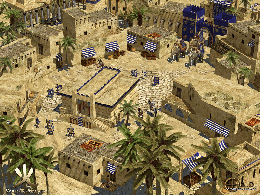
Urban Terror – Vavoom – Enemy Territory – Smokin’ Guns – OpenArena – Pingus – Frogatto – Streets of Rage Remake – Sonic Robo Blast 2 – Open Sonic – Neverball – THE SCND GENESIS – xmoto – scorched3d -Legends – wormux – Lugaru HD – irrlamb – Go Ollie! – BZFlag – S.C.O.U.R.G.E – AstroMenace – OpenLieroX – Bombic – Capitan Sevilla – teeworlds – ardentryst – Hedgewars – D2X-XL – TORIBASH! – Yo Frankie! – Paintown – Secret Maryo Chronicles – Hannah’s Horse – Rocks’n’Diamonds – SuperTux – I Have No Tomatoes – Armagetron – Battle Tanks – Extreme Tux Racer – Atomic tanks – Trackballs – LBreakout2 – Blob Wars: Episode II – Bricolo – Nikwi – Neverputt
DVD 2 :
Asylum – goonies – Robombs – ic – Caph – Numpty Physics – OGS Mahjong – America’s Army – v.2.5.0 – Assault Cube – World of Padman – Warsow – Red Eclipse – Alien Arena – Enemy Territory Blood Frontier – True Combat Elite – Tremulous.
DVD 3 :
Steel Storm – Revenge Of The Cats – Nexuiz – Sauerbraten – MMORPG -Savage XR – Daimonin Online – RuneScape – IConquerU – Auteria Online – Tibia Online – Regnum Online – Online Wakfu – Eternal Lands – Project Diaspora – R.P.G – SoulFu – Lips Of Suna – Warlock’s Gauntlet – Freedroid RPG – The Ur-Quan Masters – jag – OpenAlchemist – 5Ball – Vertris – Deadly Cobra – Zaz – Biniax-2 – PipeWalker -Fish Fillets
DVD 4 :
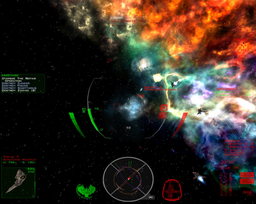
Super TuxKart – StuntRally – VDrift – Speed Dreams – Tile Racer – The Open Racing Car Simulator – NAEV – Funguloids – The Babylon Project – Oolite – OpenRA – Freeciv – Pax Britannica – TripleA – megaglest – FreeCol – Warzone2100 – UFO Alien Invasion – Spring RTS – 0 A.D – Widelands – Bos Wars – 8Kingdoms – MegaMek – The Battle for Wesnoth – Globulation 2 – netPanzer
DVD 5 :
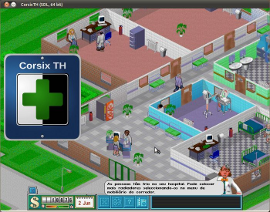
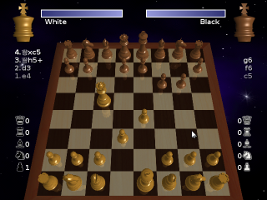
corsix-th – OpenTTD – Zero Ballistics – Snowglobe – Flight Gear Flight Simulator – Unknown Horizons – CRRCsim – Simutrans – Lincity – GL-117 – Danger from the deep – openBVE – The Powder Toy – FreeOrion – Glest – Maxi Mini Golf – Underworld Hockey Club – Free Tennis – DreamChess – Foobillard – BillardGL – Soldier of Fortune – FizzBall (Demo) – World of Goo – DEMO – Sandbox Game Maker – Syntensity – Vegastrike – Angry Drunken Dwarves – Frozen-Bubble – JAMP – Nimuh – Too Hard For You – sm-ssc – Fork di StepMania – Performous – StepMania – Frets on Fire – Warlock’s Gauntlet
Untuk instalasi cukup masukkan DVD atau gunakan mount file iso ke harddisk. Silahkan baca sumbernya di sini dan di sini.
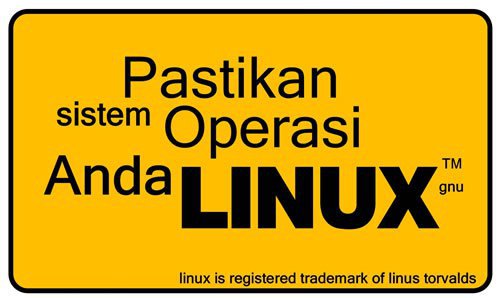
Anda bisa memperoleh kelima DVD ini seharga 70 ribu. Sudah termasuk 5 DVD dan ongkir seIndonesia dan bonus stiker GNU/Linux Powered atau Pastikan Sistem Operasi Anda Linux. Pembayaran bisa dilakukan di Mandiri/BNI/ATM Bersama/Manual transfer/Wesel Pos.
Rekening Mandiri
1310004309870
an I Putu Agus Eka Pratama
Bank Mandiri IT Telkom cab Bandung Martadinata
Rekening BNI 0211877652
an I Putu Agus Eka Pratama
Kantor Cabang Perguruan Tinggi Bandung (ITB)
Setelah proses transfer segera sms ke 085738336989 untuk konfirmasi beserta nama dan alamat lengkap. Jika sudah dicek dan uang sudah masuk maka barang akan segera dikirimkan via pos. resi pengiriman akan disms sehingga anda bisa mengeceknya juga di www.posindonesia.co.id
Jika tidak membeli anda juga bisa mengunduhnya di sini atau di sini.
Ubuntu Game Pack
Ubuntu Game Pack
Gambar stiker seperti berikut (seukuran kartu nama) :

pastikan sistem operasi anda linux
Powered By GNU Linux
Sumber :
http://www.tahutek.net/2011/08/ubuntu-gamepack-1104-install-156-game.html
http://ualinux.com/en/ubuntu-gamepack
http://linux-software-news-tutorials.blogspot.com/2011/08/ubuntu-game-pack-1104-5-dvd-packed.html
http://www.kaskus.us/showthread.php?t=9947488


Jumat, 03 Juni 2011

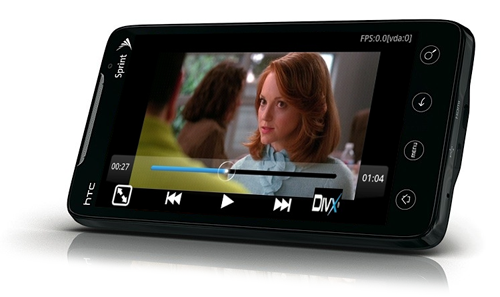
Aplikasi Android, Video Player, Rock Player Base


Keterangan :
movie:
* MKV
* H264 High profile, 720 x 304 @ 24fps @ 405Kbps
* AAC 44.1KHz
* perfect quality
* 14 to 20 FPS
tv show:
* AVI
* DivX 5, 704 × 1.097 @ 384 Kbps @ 24 FPS
* MP3 @ 128Kbps 48KHz
* perfect quality
* 22-24 FPS
anime:
* MKV
* H264 High profile, 848 x 480 @ 24fps @ 302Kbps
* AAC 48KHz
* lots of artifacts
* no subs (ASS, Advanced Sub Station)
* 8 to 15 FPS
handbrake:
* MP4
* H264 Baseline profile, 800 × 3.120 @ 448 Kbps @ 30 FPS
* AAC, 44.1KHz @ 151 Kbps
* perfect quality
* 13 to 16 FPS
720p Artbeats HD Demo:
* MP4
* Main profile H.264, 1280 × 720 @ 30 FPS @ 5.994 Kbps
* AAC @ 66Kbps 44.1KHz
* perfect quality
* 3 to 6 FPS
Artbeats HD 1080p Demo:
* MP4
* H264 Main profile, 1920 x 1080 @ 10Mbps @ 30FPS
* AAC, 44.1KHz @ 192Kbps
* perfect quality
* 1 to 3 FPS
Link Download
SINI


Aplikasi Android, Video Player, Rock Player Base, download Aplikasi Android, Video Player, Rock Player Base, video player android, android video player, free video player untuk android, android player

Tutorial Android, Cara Menggunakan Proxy pada Android 2011

Salah satu keterbatasan ponsel-ponsel Android adalah tidak adanya opsi/setting proxy server client yang memudahkan kita untuk terkoneksi ke jaringan yang dilindungi proxy. Kalaupun ada, tidak menyertakan credential atau fasilitas Log In ke proxy server tersebut sehingga bila kita terhubung dengan jaringan internet proxy, kita hanya bisa berselancar lewat browser bawaan saja. Sedangkan aplikasi yang memerlukan koneksi internet tidak akan jalan karena terhalang credential proxy tadi. Lalu makhluk apakah proxy server itu? saya tidak akan menjelaskannya di artikel ini karena pasti sudah dijelaskan oleh Tante Wikipedia atau lebih lengkap lagi oleh Om Google.
Ok, sebelum memulai men-setting proxy jaringan di hape android tersayang kita, sebaiknya persiapkan syarat-syarat utamanya, yaitu:
1. Memerlukan hape Android yang sudah di-root , cara root hape Android sangat gampang. Tinggal download aplikasi ini , install di hape android kita, trus jalankan aplikasinya, klik pada tombol “Root”, dan ikutin aja apa yang diperintahkan si aplikasi. (ingat, root ini bisa membuat garansi hilang, jadi jangan lupa un-root sebelum dianter ke service center bila garansi masih ada).
2. Download dan install aplikasi Root Explorer ini ke hape Android kita.
3. Download dan install aplikasi Transparent Proxy ini ke hape Android kita.
4. Anda harus hafal alamat server proxy dan credential (Username dan Password bila diperlukan) agar bisa terhubung ke proxy.
5. Secangkir kopi panas dan camilan kalau perlu….hehehehe
Yup, setelah semua sudah disiapkan mari kita kerjakan. Langkah-langkahnya cukup gampang kok, tinggal klik-klik jadi. Ini dia langkah-langkahnya :
1. Buka aplikasi root explorer di hape Android kita. Lalu klik pada tombol “Allow”. Ini menandakan bahwa aplikasi manager tersebut diperbolehkan untuk meng-akses jeroan ponsel kita. 
Shortcut Root Explorer yang dilingkari
2. Masih di aplikasi root explorer, kita akan melihat ada tombol “Mount R/W” di bagian atas. Tekan aja tombol itu, gak akan meledak kok. 
Tombol Mount R/W di Sebelah Atas
3. Trus cari dan klik pada folder “data”. Lihat banyak folder lagi khan? nah tekan pada folder “data” lagi. Masih lihat banyak folder lagi? gak apa2… cari dan klik aja folder “com.hasbox.tproxy”. Nah, tinggal sedikit khan folder-nya, tapi kali ini saya tidak menyarankan untuk memilih folder manapun karena kita akan meng-edit file-filenya (bukan foldernya). Kita akan menemukan tiga file di situ. File “proxy.sh”, “redirect.sh”, dan “redsocks”. Edit permission file-file tadi dengan menekan agak lama pada file tersebut hingga muncul pop up “Options”, pilih “Permissions”, lalu bubuhi tanda centang pada semua kotak terus “OK”.
Centang aja semua
4. Setelah meng-edit file-file tadi, tutup aplikasi root explorer dan jalankan aplikasi Transparent Proxy. Pilih “HTTP”, lalu masukkan host name dan port. Centang pada “Enable Authentication” bila jaringan membutuhkan informasi Username dan Password untuk mengaksesnya. Lalu klik pada tombol yang bertuliskan “Off” di bawah dan jangan lupa klik “Allow” lagi. 
Shortcut Transparent Proxy yang dilingkari
setting proxy
5. Yup, Anda sudah bisa menjalankan aplikasi Android anda di jaringan internet atau WiFi yang diproteksi oleh proxy server.
NB: Cara ini sudah dicoba di handphone Samsung Galaxy S i9000. Kemungkinan hasil akan bervariasi untuk handphone android yang lain. Kalau tablet saya belum mencobanya..hehehe.
SUmber :
term,,proxy android,,setting proxy tablet,,proxy for android,,setting proxy tablet android,,aplikasi android setelah root,,cara setting proxy di android,,transparent proxy android,,cara root android,,setting proxy buat android,,cara menggunakan proxy pada android,

Aplikasi Email Android, Yahoo Mail for Android 2011

yahoo mailMail (shortened to yahoo mail) is a free webmail service provided by Yahoo
Experience faster, smarter, richer Email for Android mobile phone
The official Mail app for Android
- Multiple Email Accounts
- Preview of the photos in your inbox
- Improved integration with Messenger
- Push your mail Notifications
- Send and receive email attachments
- Writing in rich text and emoticons
- Search Folders intelligent and powerful
Yahoo! Mail adalah sebuah penyedia surat elektronik (webmail) dari Yahoo!


Download Link :
http://www.mediafire.com/?2201ltagrl7qb21
term,,Aplikasi Email Android Yahoo Mail for Android 2011,,aplikasi mail yahoo android,,aplikasi seru untuk android,,download yahoo mail app for android,,kamus apk,,what yahoo mail version is compatible to yahoo messenger 1 4,,yahoo mail android apk,,yahoo mail for android,,yahoomail android mobile,

Source : http://aplikasiandroid.net

Jumat, 22 April 2011

Rahasia : Tackling the Problem of Cyber Crime

A few days ago the Australian House of Representatives' Standing Committee on Communications published its report on cyber crime and security. This document has the ambitious title "Hackers, Fraudsters and Botnets: Tackling the Problem of Cyber Crime", and is an impressive, almost 300 pages reading with statistics, examples, and of course suggestions on how to solve the cyber crime problem

The report even has a long explanatory list of abbreviations and technical terms, which is useful reading for those who are not that familiar with all corners of IT security.

As early as in the report's foreword a significant statement is made:

There has been an exponential growth in the volume of malicious software and the sophistication and adaptability of cyber crime techniques. In the face of these trends, the Committee believes the expectation that end users should or can bear the sole responsibility for their own personal online security is no longer a tenable proposition. We need to apply the same energy and commitment given to national security and the protection of critical infrastructure to the cyber crime threats that impact on society more generally.

A joint effort
Note in particular the sentence "(...) the expectation that end users should or can bear the sole responsibility for their own personal online security is no longer a tenable proposition".

The committee acknowledges the fact that governmental institutions as well as organizations in the private sector (like IT manufacturers, Internet Service Providers and web hosting companies) should all be involved in securing the Internet.

This corresponds to the view that Norman expressed in our security article in November 2008 - Fighting malware on two ends. To be able to fight cyber crime most efficiently, one cannot rely on end-user protection only. Effective protection of the Internet's nodes and infrastructure requires that several stakeholders are involved.

The report includes 34 recommendations. Some examples are:
- a national coordination point to oversee the broader strategy,
- a national cyber crime reporting centre, enabling a one-stop-shop to report cyber crime,
- better coordination and training for law enforcement agencies,
- public-private information sharing on a wider range of cyber crime types.

A controversial recommendation
One of the recommendations (No 14) immediately caused some controversy (Norman's emphasis in bold below):

That the Australian Communications and Media Authority take the lead role and work with the Internet Industry Association to immediately elaborate a detailed e-security code of practice to be registered under the Telecommunications Act 1997 (Cth).

That the code of practice include:

- an obligation that the Internet Service Provider provides basic security advice when an account is set up to assist the end user to protect themselves from hacking and malware infections;
- a mandatory obligation to inform end users when their IP address has been identified as linked to an infected machine(s);
- a clear policy on graduated access restrictions and, if necessary, disconnection until the infected machine is remediated;
- the provision of basic advice and referral for technical assistance for remediation;

Some Pros and Cons
Enforcing security does equal better security (at least in this case)
It is probably correct that if Internet users are forced to install security programs (in this case antivirus and firewall) before they are allowed to access the Internet, this will in general enhance the general security on the average end user's computer.

Most of us are law-abiding citizens and will not go to great length to try to circumvent this requirement by attempting to trick the Internet Service Provider (ISP), and thus avoid this requirement.

Nor is it likely that many who already had such software in place will remove this, and trick the ISP just because they are ideologically against the fact that the requirement has been made mandatory.

Personal freedom
Legislating every-day tasks vs. freedom of the individuals is a never-ending battle between two conflicting points of view. The consensus seems to be that "somewhere" in between the two extremes is most sensible.

The issue discussed here is a typical one where some will argue that it is up to each and every person if - and even more importantly - how he chooses to protect himself.

It may be argued however, that this is not only a question about self-protection. An infected computer represents a threat not only to the owner, but also to others that this computer is able to reach, and indeed the Internet community in general. An analogy is a person who becomes infected with a virus; he might be quarantined not only for his own protection, but to protect members of his community from infection.

Another aspect of the personal freedom issue is that for such a legislation to be effective, the ISP needs to have some kind of technology in place to check whether a computer is protected by security software or not. This may be viewed by some as tampering with personal information that is not the ISP's business.

Some may also fear that if such a requirement is mandatory, only some pre-qualified security software packages will be accepted among the plethora of security software that exists. Presumably well-known vendors' solutions might be those recommended or allowed.

Who pays?
This is not discussed in the report, and may obviously be part of the debate.

Seen from the community's point of view, the most economically sound is probably that governmental institutions enter into agreement(s) with security software vendors, as this has the potential to result in the best deals (per piece of software).

The second best from a purely economical view, is that the ISPs enter into such agreements on behalf of their customers. They are able to negotiate better agreements (one would presume) than each and every individual.

The least optimal seen from a socio-economic point of view is that each person chooses his preferred security software. On the other hand, this will give the individual more personal freedom (which is seen as advantageous by most).

Whatever is chosen as a model, it is obvious that this will be an extra cost for someone. The counter-argument is that this will be less expensive than not protecting, and thus allowing more to be victims of computer crime.

Security software needs frequent updates
These days more than ever, security software needs frequent updating in order to protect the users sufficiently. Several tens of thousands malicious programs are created each and every day, and the antivirus vendors publish new virus signature files frequently to keep their customers updated.

This introduces a special problem, as the security obtained by having an antivirus product installed rapidly declines towards zero unless the program is continuously updated.

How this updating requirement should be taken care of is a challenge with the committee's recommendation.

Several layer defense
As we mentioned in the beginning of this article, it is wise to combat cyber crime from different angles. From this perspective tightening end user security is a means to accomplish one building-stone in a several-layer defense structure.

Final words

Regardless of one's view regarding the issue of mandatory antivirus and firewalls, the Australian report is very interesting reading. It is highly recommended for those who wish to get a broader overview of the Internet's threats as perceived by a nation's point of view, and the mitigating elements that are up for discussion and evaluation.

How To Hack With An IP Address

Theres plenty of papers out there that go into how to obtain an IP Address from the preferred mark of your choice. So I'm not going to go into that subject. Alright so say we got the targets IP Address finally. What do we do with this IP Address. Well first ping the IP Address to make sure that its alive. In otherwords online. Now at the bottom of this document ill include some links where you can obtain some key tools that may help on your journey through the electronic jungle.

So we need to find places to get inside of the computer so we can start trying to find a way to "hack" the box. Port Scanners are used to identify the open ports on a machine thats running on a network, whether its a router, or a desktop computer, they will all have ports. Protocols use these ports to communicate with other services and resources on the network.

1) Blues Port Scanner - This program will scan the IP address that you chose and identify open ports that are on the target box.

Example 1:
Idlescan using Zombie (192.150.13.111:80); Class: Incremental
Interesting ports on 208.225.90.120:
(The 65522 ports scanned but not shown below are in state: closed)
Port State Service
21/tcp open ftp
25/tcp open smtp
80/tcp open http
111/tcp open sunrpc
135/tcp open loc-srv
443/tcp open https 1027/tcp open IIS
1030/tcp open iad1
2306/tcp open unknown
5631/tcp open pcanywheredata
7937/tcp open unknown
7938/tcp open unknown
36890/tcp open unknown


In example 1 now we see that there are a variety of ports open on this box. Take note of all the ports that you see listed before you. Most of them will be paired up with the type of protocol that uses that port (IE. 80-HTTP 25-SMTP Etc Etc...) Simply take all that information and paste it into notepad or the editor of your choice. This is the beginning of your targets record. So now we know what ports are open. These are all theoretical points of entry where we could wiggle into the computer system. But we all know its not that easy. Alright so we dont even know what type of software or what operating system that this system is running.

2) NMAP - Port Scanner - Has unique OS fingerprinting methods so when the program sees a certain series of ports open it uses its best judgement to guess what operating system its running. Generally correct with my experiences.

So we have to figure out what type of software this box is running if we are gonna start hacking the thing right? Many of you have used TELNET for your MUDS and MOOS and weird multiplayer text dungeons and many of you havent even heard of it before period. TELNET is used to open a remote connection to an IP Address through a Port. So what that means is we are accessing their computer from across the internet, all we need is their IP Address and a port number. With that record you are starting to compile, open a TELNET connection to the IP Address and enter one of the OPEN ports that you found on the target.
So say we typed 'TELNET -o xxx.xxx.xxx.xxx 25' This command will open up a connection through port 25 to the IP xxx.xxx.xxx.xxx. Now you may see some text at the very top of the screen. You may think, well what the hell, how is that little string of text going to help me. Well get that list you are starting to write, and copy the banners into your compilation of the information youve gathered on your target. Banners/Headers are what you get when you TELNET to the open ports. Heres an example of a banner from port 25.

220 jesus.gha.chartermi.net ESMTP Sendmail 8.12.8/8.12.8; Fri, 7 Oct 2005 01:22:29 -0400

Now this is a very important part in the enumeration process. You notice it says 'Sendmail 8.12.8/8.12.8' Well what do ya know, we now have discovered a version number. This is where we can start identifying the programs running on the machine. There are some instances in which companies will try and falsify their headers/banners so hackers are unable to find out what programs are truly installed. Now just copy all the banners from all the open ports *Some Ports May Have No Bannners* and organize them in the little record we have of the target. Now we have all the open ports, and a list of the programs running and their version numbers. This is some of the most sensitive information you can come across in the networking world. Other points of interest may be the DNS server, that contains lots of information and if you are able to manipulate it than you can pretend to hotmail, and steal a bunch of peoples email. Well now back to the task at handu. Apart from actual company secrets and secret configurations of the network hardware, you got some good juicy info. http://www.securityfocus.com is a very good resource for looking up software vulnerabilities. If you cant find any vulnerabilities there, search on google. There are many, many, many other sites that post vulnerabilities that their groups find and their affiliates.

At SecurityFocus you can search through vendor and whatnot to try and find your peice of software, or you can use the search box. When i searched SecurityFocus i found a paper on how Sendmail 8.12.8 had a buffer overflow. There was proof of concept code where they wrote the shellcode and everything, so if you ran the code with the right syntax, a command prompt would just spawn. You should notice a (#) on the line where your code is being typed. That pound symbol means that the command prompt window thats currently open was opened as root. The highest privilage on a UNIX/Linux Box. You have just successfully hacked a box. Now that you have a command shell in front of you, you can start doing whatever you want, delete everything if you want to be a fucking jerk, however I dont recommend that. Maybe leave a text file saying how you did it and that they should patch their system.....whoever they are. And many times the best thing you can do is just lay in the shadows, dont let anyone know what you did. More often than not this is the path you are going to want to take to avoid unwanted visits by the authorities.

There are many types of exploits out there, some are Denial of Service exploits, where you shut down a box, or render an application/process unusable. Called denial of service simply because you are denying a service on someones box to everyone trying to access it. Buffer Overflow exploits are involved when a variable inside some code doesnt have any input validation. Each letter you enter in for the string variable will be 1 byte long. Now where the variables are located at when they are in use by a program is called the buffer. Now what do you think overflowing the buffer means. We overflow the buffer so we can get to a totally different memory address. Then people write whats called shellcode in hex. This shellcode is what returns that command prompt when you run the exploit. That wasnt the best description of a buffer overflow, however all you need to remember is that garbage data fills up the data registers so then the buffer overflows and allows for remote execution of almost every command available. There are many, many other types of attacks that cannot all be described here, like man-in-the-middle attacks where you spoof who you are. Performed correctly, the victim will enterhttp://www.bank.com and his connection will be redirected to your site where you can make a username and password box, make the site look legit. And your poor mark will enter their credentials into your site, when they think its really http://www.bank.com. You need to have a small script set up so it will automatiically display like an error or something once they try and log in with their credentials. This makes it seem like the site is down and the victim doenst give it a second thought and will simply try again later.

So as a summary of how to 0Wn a box when you only have an IP Address
Method Works On BOTH *Nix and Windoze

****You can do the same with domain names (IE google.com) than what you can with IP Addresses. Run a WHOIS Lookup or something along those lines. Or check up on InterNIC you should be able to resolve the domain name to an IP address.****

- Port Scan The Address And Record Open Ports
- Telnet To Open Ports To Identify Software Running On Ports

3) netcat - Network swiss army knife. Like TELNET only better and with a lot more functionality. Both can be used when you are trying to fingerprint software on open ports

- Record Banners And Take Note Of The Application Running and The Version Number
- Take A Gander Online At SecurityFocus.com or Eeye.com. If you cant find any vulnerabilities then search google.
- Make a copy of some Proof-Of-Concept code for the vulnerability.

*Read the documentation if there is any, for the proof-of-concept code you will be using for your exploit*

- Run The Exploit Against The Victim.
- Reap The Cheap-Sh0t Ownage

**This document does not go into covering your tracks. If you dare try any of this stuff on a box you dont have consent to hack on, They will simply look at the logs and see your IP Address and then go straight to your ISP. Once you get more 1337 you get to learn how to get away with the nasty deeds. This is what the majority of kode-kiddies do when they perform attacks. The key is to enumerate all the info you can from the machine, the more info you have on the system the better. User accounts can also be enumerated. Once you have a list of account names, you may then proceed to brute-force or perform a cryptanalysis attack to gain control of the account. Then you must work on privilage escalation. Users are not Admins/Root**


Source : http://www.dedepurnama.com

Rabu, 30 Maret 2011

Rahasia : CONKYWIZARD: GUI TO SET UP CONKY AUTOMATICALLY


conky

Conky is a free, light-weight system monitor for X, that displays any information on your desktop. You've seen it in many screenshots under various forms; take a look at these screenshots if you don't know what Conky is.

To use Conky, you must manually set it up - and that's not easy as you must manually create the configuration file and customize it yourself. But now you can do this a lot easier using ConkyWizard, a GUI written in Qt and C++ to set up Conky and customize everything visually.


conky wizardconky wizardconky wizard


ConkyWizard comes precompiled for now (you need Qt to run it), but a PPA will be available soon. Before using ConkyWizard, you'll of course need to install Conky:
sudo apt-get install conky

To use ConkyWizard, simply DOWNLOAD it, extract the archive and double click the extracted file. A note from our readers: it seems the 64-bit binaries do not work, but the 32-bit version works in Ubuntu 64bit.

ConkyWizard default theme is based on the Ubuntu Lucid Conky theme which was available @ Gnome-Look but it allows you to customize every detail as well as automatically run it on startup and so on. It even sets up the delay required for Conky to be displayed correctly after the computer starts up. Please note that it has only been tested with Ubuntu Lucid so it may not work with other Ubuntu versions.


To get the sensors to work, you'll need lm-sensors which you can install using the following command:
sudo apt-get install lm-sensors


And then to set up the sensors, run this:
sudo sensors-detect

and answer "y" (yes) to everything.

Finally, run the following command to get the sensors to start:
sudo /etc/init.d/module-init-tools start


If you still don't see any temperatures in Conky, restart your computer.


Source : http://www.webupd8.org

Rahasia : Hack The Game | Game Simulasi Menjadi Hacker


HackThe Game hacking adalah sebuah game simulasi untuk menjadi seorang hacker. Sewaktu anda memainkan game ini anda akan memliki peran sebagai sorang hacker yang mengemban berbagai macam misi. Ketika saya mencoba memainkan game ini, ternyata lumayan sulit juga sob, kita diwajibkan untuk mengetahui sintak-sintak dos, seperi perintah ping, cd, telnet, dll. (lebih bagus kalau sobat blogger hapal) Hehehe

HackThe Game kalau menurut saya merupakan sebuah game yang layak untuk sobat miliki, apalagi buat sobat blogger yang ingin menjadi hacker handal tapi bingung mau latian dimana, nah HackThe Game ini solusinya, karena menggunakan simulasi, jadi kaya beneran banget jadi hacker nya. (ada efek suaranya juga loh,,,) pokoknya keren abis deh sob.

HackThe Game juga mendukung bahasa Indonesia loh sob, jadi makin mudah aja untuk dipelajari dan dipahami. Untuk mengubahnya kedalam format bahsa Indonesia, pertama buka aplikasi HackThe Game nya, kemudian klik menu setting, lalu pilih language bahsa indonesia deh.

Restart HackThe Game nya untuk menjadi bahsa Indonesia.

Untuk mengetahui misi yang diberikan klik menu pesan masuk/inbox.

Untuk cara bermain, silahkan baca FAQS nya terlebih dahulu (biar nggak bingung) Okeiiii

Sabtu, 12 Maret 2011

Rahasia : 12 Reasons to Try Ubuntu 10.10 Now

As Ubuntu 10.10, or "Maverick Meerkat," hits the streets this Sunday, it's a pretty safe bet that legions of existing Ubuntu users will be updating to the new release. After all, it looks to be Canonical's most user-friendly Ubuntu Linux yet, and many of the new features promise to be must-haves.

For those in the business world who haven't yet tried Ubuntu, however, the reasons to download and give it a whirl are even more compelling. Here are just a few of them.
1. Speed
Ubuntu 10.10 is fast -- darn fast. Even the beta version could boot in as little as 7 seconds, according to reports. Who has time to wait around for Windows when there's work to be done?
2. Price
There's no contest on this one, because Ubuntu is free. Pure and simple. No investment whatsoever, unless you want to buy professional support later on.
3. No Commitment
You can try out Ubuntu without changing or affecting anything else on your computer through options like a LiveCD, Live USB, Wubi or virtualization--all of which I've already described elsewhere. In other words, you have nothing to lose.
4. Hardware Compatibility
Ubuntu will play well on just about any machine you might have sitting around, so you could also try it out on a spare one to keep it off your Windows machines altogether--until you decide you can't go back, that is.
5. Ubuntu One
Ubuntu One is the personal cloud service that lets you synchronize your files and notes and then access them from anywhere. You can also consolidate your computer and mobile phone contacts and share documents and pictures with them. On the fun side, you can use Ubuntu One to buy music and get it delivered to the computers of your choice.
6. Windows Compatibility
With Ubuntu 10.10, a beta client for Windows also allows users to integrate their Windows and Ubuntu worlds by accessing files from either platform. You'll never have to worry about being unable to get at your Windows files.
7. Applications
Unlike Windows, Ubuntu comes with key business productivity software for free, including OpenOffice.org. Firefox is included, but there's also support for both Flash and Google Chrome. Anything that's not there already, meanwhile, can be found in Ubuntu's Software Center. Whereas finding new software on Windows is very much a hunt-and-peck process, with lots of time spent on Google--and your credit card--the Software Center gives you a central place to find and download thousands of open source applications--for free--in a matter of seconds.
8. Security
Ubuntu--and pretty much every distribution of Linux--is extremely secure, particularly compared with Mac OS X and Windows. No wonder experts have recommended using Linux for online banking, in particular--the others just aren't secure enough.
9. Multitouch
If you try the Netbook Edition of Ubuntu on a supported netbook, you'll be able to see for yourself the brand-new multitouch features in Maverick's new Unity interface.
10. Beauty
One key emphasis in the new Ubuntu is making it more beautiful and aesthetically pleasing to use. The Unity interface is part of that in the Netbook Edition, and the Ubuntu Font Family is another part. It's all just nice to look at.
11. It's Sociable
Ubuntu's new "Me Menu" lets you access your Facebook and Twitter accounts straight from the desktop. You can connect to all your favorite chat channels and make updates through a single window.
12. It's Linux
There are so many reasons for businesses to use Linux today, it's hard to keep track of them all. Security is one, of course, but there are also many other reasons Ubuntu, in particular, has become such a good business choice--far better than Mac OS X or Windows.
Ubuntu 10.10 will be available for download starting on Sunday from Canonical's Ubuntu site. Of course, if you can't wait until then, there's always the Release Candidate, which is ripe for the picking right now. Either way, my bet is that once you try Ubuntu for your business, you're going to want to keep it.

Rahasia : Work Begins on Ubuntu 11.10 'Oneiric Ocelot'

The final release of "Natty Narwhal," or version 11.04 of Canonical's Ubuntu Linux distribution, may still be more than a month away, but project founder Mark Shuttleworth on Monday officially inaugurated work on its successor with the announcement that version 11.10 will be called "Oneiric Ocelot."

The "skunkworks" on Ubuntu 11.10 are "in high gear right now," Shuttleworth wrote in a blog post Monday.
In naming the new version of the open source operating system, "what we want is something imaginative, something dreamy," he explained. "Something sleek and neat, too. Something that captures both the competence of ubuntu-devel with the imagination of ayatana."
Explaining the project's choice, "oneiric means 'dreamy,' and the combination with Ocelot reminds me of the way innovation happens: part daydream, part discipline," Shuttleworth wrote.
Given Natty Narwhal's planned release date of April 28, the software's six-month release schedule leads to an October release for Oneiric Ocelot.
'A Stretch Release'
Natty Narwhal is anticipated with considerable excitement, not least for the radical changes it will be the first to reflect. Though the Wayland graphics system won't be ready in time for its debut, 3D-enabled Unity has replaced the GNOME shell as the default desktop interface, for example.
A 2D version of Unity is also available, and Ubuntu 11.04 uses the Compiz window manager rather than Mutter by default. LibreOffice is now included, and a raft of other changes are planned for the software as well. The third and final alpha version of Natty Narwhal was released last week.
"Natty is a stretch release," Shuttleworth explained in his post. "We set out to redefine the look and feel of the free desktop."
The latest stable release of Ubuntu is version 10.10, or "Maverick Meerkat," while the current Long Term Support (LTS) version is Ubuntu 10.04, dubbed "Lucid Lynx." Version 12.04, due in April 2012, will be the next LTS version.
Qt Libraries
What can we expect in Oneiric Ocelot? Well, first off, it may well be the release in which Wayland makes its debut.
Shuttleworth also recently announced that future versions of Ubuntu, post-Natty, will incorporate the Qt user interface libraries and may include applications based on the Qt framework.
"Our desktop has come together beautifully, and in the next release we'll complete the cycle of making it available to all users, with a 2D experience to complement the OpenGL based Unity for those with the hardware to handle it," Shuttleworth wrote.

The introduction of Qt, meanwhile, "means we'll be giving developers even more options for how they can produce interfaces that are both functional and aesthetically delightful," he added.
What effect Nokia's sale of its Qt commercial licensing and services business to Finnish company Digia might have remains to be seen.
No More 'Quit'?
Key decisions must still be made about which cloud platforms will be supported in version 12.04 LTS, Shuttleworth noted. Natty Narwhal is expected to support both the OpenStack and Eucalyptus cloud platforms.
Then, too, there's the announcement on Monday from Canonical designer Matthew Paul Thomas that Ubuntu will phase out the "quit" command, though which version that might appear in isn't yet clear.
What we can be sure of, however, is that exciting new changes are on the way for Ubuntu. Not only that, but we've all now learned another word. Oneiric -- who could have predicted it?

Rahasia : "Sexy" software

It has always rubbed me the wrong way when software is described as "sexy." There is something about the context that just seems off. Well, I just got around to reading a book I've been intending to read since 2006, "Female Chauvinist Pigs" by Ariel Levy. It's about how pop-culture & the media have managed to convince much of society that it is "empowering" for a woman to um…objectify herself quickly, before a man does (you can probably guess by my phrasing that I do not agree with the women who buy into this, and neither does the author). Anyway, there's a paragraph in there that sums up nicely my discomfort with the use of the word "sexy" to describe, well, things that have nothing to do with, you know, sex:
Sex appeal has become a synecdoche for all appeal: People refer to a new restaurant or job as “sexy” when they mean hip or powerful. A U.S. Army general was quoted in The New Yorker regarding an air raid on the Taliban as saying “it was sexy stuff,” for instance; the New York Times ran a piece on the energy industry subheadlined “After Enron, Deregulation Is Looking Less Sexy.” For something to be noteworthy it must be “sexy.” Sexiness is no longer just about being arousing or alluring, it’s about being worthwhile.
OK, so your software is "worthwhile" then. Got it. Congratulations, I guess? But…why??? Is it faster than the alternative? Does it have a more intuitive UI? Does it colour-coordinate better than the garish purple, green, and red interface full of tags of the alternative? Does it take what is normally a complicated 15-step manual process and distill it into a simple 3-step process wherein the computer intuits many of the steps itself? If so, say that! That'd be an actual useful description!
Feminist aside: the flipside of this is the implication that if a thing or person isn't "sexy," it's worthless.

Rahasia : Customize the Panel Ubuntu

Ubuntu includes a top panel and a bottom panel by default. If you prefer to keep only one panel at the bottom just like the Windows Taskbar, then these are the steps to follow:
  1. Ubuntu DesktopDelete the bottom panel: right-click over it and click "Delete This Panel".
  2. Move the top panel to bottom: right-click over it, select "Properties" and change Orientation from "Top" to "Bottom".
  3. Add running program buttons: right-click the panel, select "Add to Panel", scroll down and select "Window List", click "Add".
  4. Replace the Menu Bar ("Applications-Places-System") with the "Main Menu" to save space in the panel:
    1. Right-click the "Menu Bar" and select "Remove From Panel".
    2. Right-click the panel, select "Add to Panel" and choose "Main Menu", click "Add".
    3. Right-click the items (Firefox, etc) and untick "Lock to Panel".
    4. Right-click the added "Main Menu", select "Move" to relocate it to the far left. (See Note 1 below)
These are basic changes. The panels are much more flexible than the Windows Taskbar in that many items in the panels can be easily added, removed or configured.
Note 1: The Main Menu shows the "Lock Screen", "Log Out" and "Shut Down" items if you remove the "Indicator Applet Session" item (which shows your username and the shutdown button to the right of the panel). These three items are hidden from the Main Menu when the Indicator Applet Session item is on the panel.
Note 2: If you need to restore the panels to the original state, enter the following commands into the Terminal and re-start the system:
  1. sudo gconftool-2 --shutdown
  2. sudo rm -rf .gconf/apps/panel
  3. sudo pkill gnome-panel